DTF Junkie
HomeServicesDTF Gang Sheet BuilderDTF Placement StudioPlansContactPrivacyTerms
LoginSign up
✦DTF One-Click EditBackground RemovalAI UpscaleAuto TrimEdge CleanupHalftoneDistresserRGB to CMYK✦AI Smart Edit
Explore the toolsAI Upscale
✦DTF One-Click EditBackground RemovalAI UpscaleAuto TrimEdge CleanupHalftoneDistresserRGB to CMYK✦AI Smart Edit
← All tools / AI Enhancement
Small file. Bigger possibilities.

Less blur.
More detail.
More wow.

Your next best-selling shirt starts with the details. Sharpen your artwork. Boost its resolution. Give that design a closer look, without a Photoshop deep dive.
Upload your artwork
✓ No Photoshop skills needed✓ Built around your artwork
Big ideas deserve a little more definition.DETAIL MATTERS
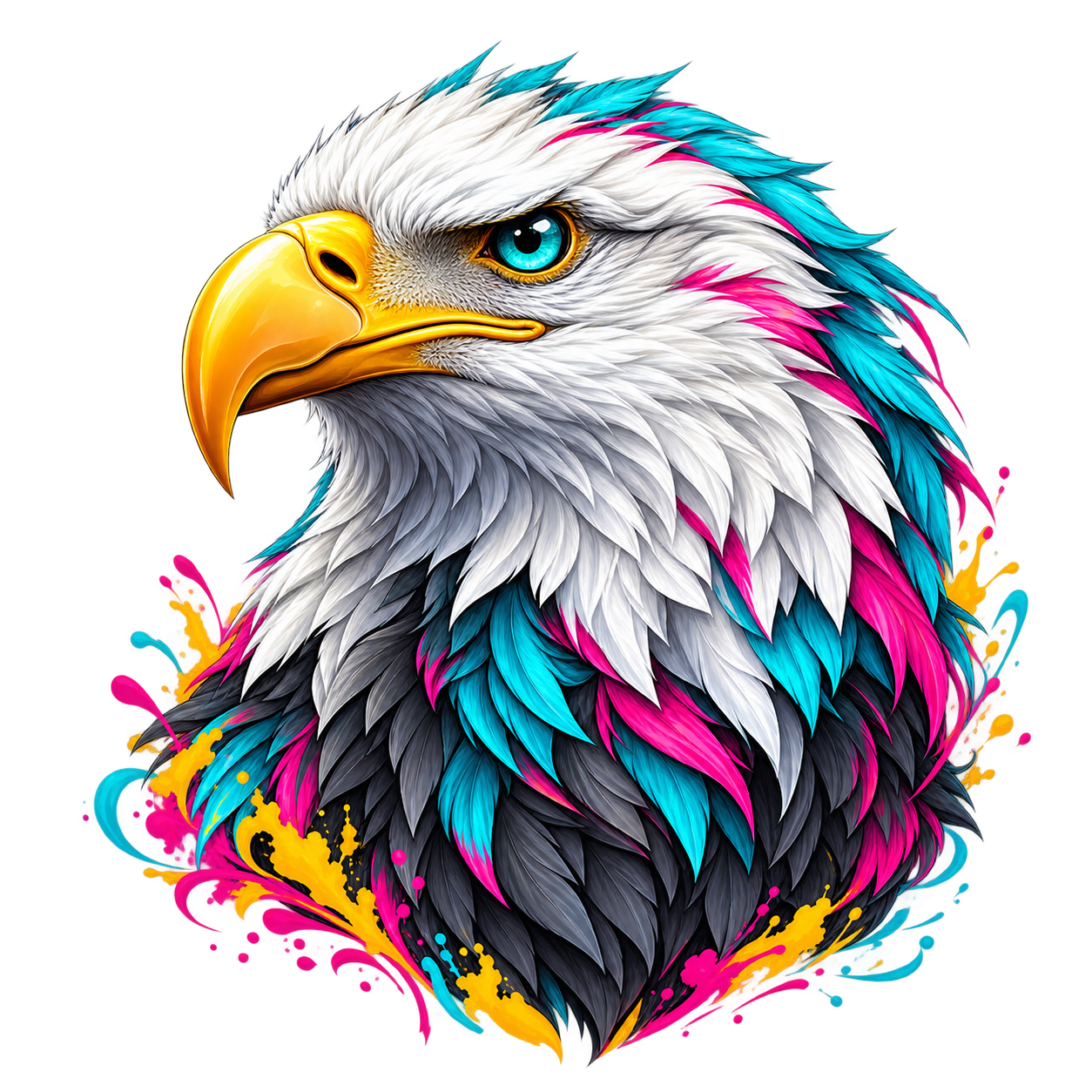
Colorful eagle artwork with vibrant feather detail, shown in sharp detail
Soft sampleSharper detail ✦
‹ ›
↗
BIG SHIRT ENERGY.
RIGHT DOWN TO THE DETAILS.
↔ Drag to compare · Simulated sample
✦✦
Less editing. More creating.✦Make every detail count.AI Enhancement / 03
A sharper start for your next shirt

Bring your artwork into focus.

Start with your best file. Inspect the fine details.
Let your next design make a bigger impression.

01

Add your artwork

ONE FILE AT A TIME
or

Your artwork is processed securely with AI.

Add your file, then enhance it with AI.

02

Get a closer look

ILLUSTRATIVE SAMPLE
Eagle sample shown in detail
DETAILED SAMPLE
View on
Image dimensions1,254 × 1,254 px
Print size at 300 DPI4.18 × 4.18 in
SAMPLE FILE

Illustration only: the soft view is a blurred version of the same sample. It is not an AI processing result.

It’s all in the details

Zoom in.
Then make your move.

Great color catches the eye. Clean detail keeps it there. Before you print, take a closer look at what matters.

Inspect the sample ↗
01

Fine lines & edges

Check feathers, linework and small details. Watch for rough edges or sharpening halos.

⌁
02

Lettering & logos

Look closely at small text and brand marks. Make sure the result still matches your original design.

Aa
03

Size & resolution

Check the pixel dimensions against your intended print size. More pixels give you more room to work.

⤢
No layers. No learning curve.

Less prep. More T-shirts.

Start with your artwork ↗
01↥

Bring your best file.

Upload your logo, illustration or photo. Start with the highest-quality original you have.

02✦

Give the details a boost.

Use AI Enhancement to sharpen details and increase resolution. Less time navigating editing software.

03↗

Review. Then create.

Inspect the result at your intended print size. Check small text and edges before the next step.

Want the whole prep workflow?

One design.
DTF One-Click Edit.

Need more than a resolution boost? Bring your image-prep steps together and get back to what you do best: making T-shirts.

Let DTF One-Click Edit handle it ↗
✦
✓ Remove background
✓ Trim empty space
✓ Upscale artwork
✓ Prepare resolution
A little know-how

Sharper artwork.
Clear answers.

A few things to know before
you go bigger.

What file types can I upload?

Upload JPG, PNG, WEBP or TIFF artwork, one file at a time, up to 50 MB.

Is upscaling the same as changing a file to 300 DPI?

No. Upscaling increases pixel dimensions. A DPI setting describes how those pixels map to a print size; changing it alone doesn’t create detail. The size readout above divides your image’s pixel dimensions by 300. It does not modify your file or certify its print quality.

Can AI restore every blurry image?

Results depend on the original file. AI can interpret details differently, especially in lettering, faces and logos. Start with your best original and compare the enhanced result before printing.

Does AI Enhancement also remove the background?

Use Background Removal for that step, or choose DTF One-Click Edit for the combined preparation workflow. Enhancement focuses on image detail and resolution. Always review the final edges, colors and print size.

Is the eagle comparison a real processing result?

It is an illustrative design sample. The same artwork is shown with and without a simulated blur so you can explore the comparison. Your uploaded artwork is shown unchanged here; the real enhancement runs on the next step.

Every detail deserves a look.

Expanded artwork preview

Illustrative sample. Viewing backgrounds are not added to your file.

Logo

AI-powered image preparation for print-ready files, clean product visuals, and faster creative workflows.

Product

  • Services
  • DTF Gang Sheet Builder
  • DTF Placement Studio
  • Plans
  • Dashboard
  • Contact

Tools

  • Halftone
  • DTF One-Click Edit
  • Edge Cleanup
  • Distress
  • Background Remove
  • AI Enhancement
  • Auto Trim
  • Auto Crop
  • Image Resizing
  • RGB to CMYK

Contact

dtfjunkie@gmail.com+8899036154
Online support

© 2026 DTF Image Prep. All rights reserved.

Privacy PolicyCookie PolicyTerms of ServiceContact Us